How to Set Up Online Banking and Instant Payments in Romania
Moving to Romania, you quickly realize that while the old ways of doing things are charming, the sheer bureaucracy and often inconsistent information can be incredibly frustrating, especially when it comes to managing your money. You might find yourself juggling cash, waiting in lines, or trying to decipher cryptic forms. But don't worry, navigating the financial landscape, particularly setting up and mastering online banking and instant payments, is one of the biggest leaps you can make towards financial independence and sanity as an expat here. This guide will walk you through everything you need to know, from choosing the right bank to confidently making those quick transfers and paying your bills, cutting through the confusion with real-world advice.
The Initial Hurdle: Getting Started with Romanian Online Banking
When you first arrive in Romania, it feels like everything is a process, and banking is no exception. While many aspects of life here are surprisingly modern, the administrative side can sometimes feel like stepping back in time. However, once you're past the initial setup, Romanian online banking is generally quite robust and will become your best friend for managing daily finances. Forget lugging around cash for every transaction or making trips to the bank branch for simple transfers – the digital world is where it’s at for convenience.
Why Online Banking is Non-Negotiable for Expats
Let's be real: life in Romania as an expat is already full of adjustments. The last thing you want is to add more stress by clinging to outdated banking methods. Online banking isn't just a convenience here; it's practically a necessity. Imagine needing to pay your rent, utilities, or even just send money to a friend, and having to physically go to an ATM to withdraw cash, then find a separate payment center, or even queue up at your bank branch. That's a scene many expats have lived through, and it's exhausting.
With online banking, all these tasks become a matter of a few taps on your phone or clicks on your computer. You can manage your finances from the comfort of your home, a café, or even while traveling. It saves you precious time, eliminates language barrier stress when trying to explain transactions in person, and gives you real-time oversight of your spending. For anyone juggling a new job, learning Romanian, or just trying to explore the country, this efficiency is invaluable. Trust me, you'll thank yourself later for getting this sorted early.
What You'll Need Before You Begin
Before you even think about diving into the online banking features, you've got to get yourself a bank account. This might sound obvious, but the process can have its quirks in Romania. Firstly, you absolutely need a Personal Numeric Code (CNP), which is your unique identification number in Romania. Without it, opening a proper bank account that allows full online access will be a significant challenge. You'll also need your valid passport or national ID (if you're an EU citizen), proof of address in Romania (like a rental contract or utility bill in your name), and often proof of income or employment. Some banks might also ask for your tax identification number (NIF), so it's a good idea to have that ready too.
Patience is key during this initial phase. The paperwork can be extensive, and while many banks have English-speaking staff, the process itself is inherently bureaucratic. Be prepared for multiple visits or follow-up calls. Once your account is open, the bank will typically provide you with initial login details or guide you through setting them up. They'll also explain how their specific online platform and mobile app work. Don't be afraid to ask for a full walkthrough then and there, as understanding the nuances from the start will save you a lot of headaches later on. If you haven't opened an account yet, you might find our guide on The Expat Guide to Opening a Bank Account in Romania incredibly helpful.
Navigating the Major Romanian Banks for Online Services
Romania's banking sector has modernized significantly over the past decade, and most major banks now offer pretty comprehensive online and mobile banking platforms. The key is finding one that aligns with your needs, offers good English support, and has an intuitive interface. While the fundamental services are similar, the user experience can vary quite a bit.
Banca Transilvania: A Popular Choice for Expats
Banca Transilvania (BT) has truly carved out a niche for itself as a popular bank among expats, and for good reason. Their digital offerings are generally seen as user-friendly and feature-rich. Their mobile app, BT Pay, is widely used and allows for a broad range of transactions, from instant payments and bill payments to managing your cards and even withdrawing cash without a physical card at BT ATMs. Many expats appreciate that BT often has English-speaking staff in branches, which makes the initial setup and any subsequent issues much smoother.
The BT Pay app is particularly handy for everyday life. You can split bills with friends, manage your savings accounts, and even access quick loans if needed. The interface is quite intuitive, and they've invested heavily in making their digital presence robust. For those new to Romania, this combination of strong digital tools and relatively expat-friendly service often makes BT a top recommendation. It's a bank that understands its diverse client base and strives to accommodate it, making the transition to local banking less daunting.
BCR and ING: Established Players with Robust Digital Platforms
Beyond BT, two other major players frequently chosen by expats are BCR and ING Bank. Both offer robust online and mobile banking solutions that compete strongly in the market. BCR, as one of Romania's oldest and largest banks, has a very extensive network of ATMs and branches, which can be reassuring for some. Their George mobile app and online platform provide a wide array of features, including personalized insights into your spending, budgeting tools, and easy transfers. They've also focused on a modern, user-centric design that aims to simplify complex financial tasks.
ING Bank, on the other hand, is known for its strong digital-first approach globally, and its Romanian operations are no different. They often boast an excellent mobile app experience and online platform, emphasizing convenience and speed. ING's digital services are highly competitive, offering features like instant notifications, easy bill payments, and good security protocols. While they might have fewer physical branches than BCR, their online support and app functionality are often highlighted by users as being top-tier. When deciding, it really comes down to personal preference regarding interface and specific features, but both offer very capable digital banking experiences. For a deeper dive into bank selection, you might want to check out our article on How to Choose the Best Bank for Expats in Romania.
Other Notable Banks and Their Online Offerings
While Banca Transilvania, BCR, and ING often come up first in expat discussions, it's worth noting that other significant banks in Romania also offer solid online banking platforms. Raiffeisen Bank, for instance, has a strong presence and a decent digital platform, typically offering all the standard features you'd expect: transfers, bill payments, and account management through their SmartMobile app. BRD Groupe Société Générale, another major player, also provides comprehensive online and mobile banking services, often catering to a broad client base with reliable digital tools.
UniCredit Bank is another option, often praised for its international connections and reliable digital infrastructure, particularly for those with business needs or coming from countries where UniCredit operates. Generally, most of these larger banks have invested heavily in their digital transformation, ensuring competitive mobile apps and online portals. The core functionalities – instant payments, bill payments, checking balances, and managing cards – are almost universally available. The differences usually lie in the user interface design, the specific extra features (like budgeting tools or integrated investment options), and the quality of English-speaking customer support, especially through their digital channels. It's always a good idea to research individual bank reviews and perhaps even visit a branch to get a feel for their service before committing.
Step-by-Step Guide to Activating Your Online Banking
So, you’ve opened your account, received your debit card, and now it’s time to unlock the real power: online banking. This process can sometimes feel like a treasure hunt, but with a clear roadmap, you'll be set up in no time. The key is to pay close attention during the account opening process, as this is when most of the groundwork for online access is laid.
The In-Branch Activation Process
Typically, the journey to online banking begins right in the bank branch when you open your account. The bank representative will usually ask if you want to activate online banking and will guide you through signing the necessary consent forms. This step is crucial, as it registers your mobile phone number and email address with the bank for digital communication and security protocols. They will often provide you with an initial username and a temporary password or instruct you on how to set your permanent credentials. Sometimes, they might even give you a physical security token device, though many banks have moved to app-based token generation for two-factor authentication.
Make sure to clarify exactly what you're signing up for and how to proceed. Ask them to show you the first login steps on a computer or your phone if possible, especially if you're not comfortable with Romanian. They will also inform you about any associated monthly fees for the online banking service, though basic access is often free with most current accounts. Don't leave the branch until you're clear on how to log in for the very first time, and if there are any specific apps you need to download. This upfront investment of time will save you countless headaches later.
Setting Up Your Mobile Banking App
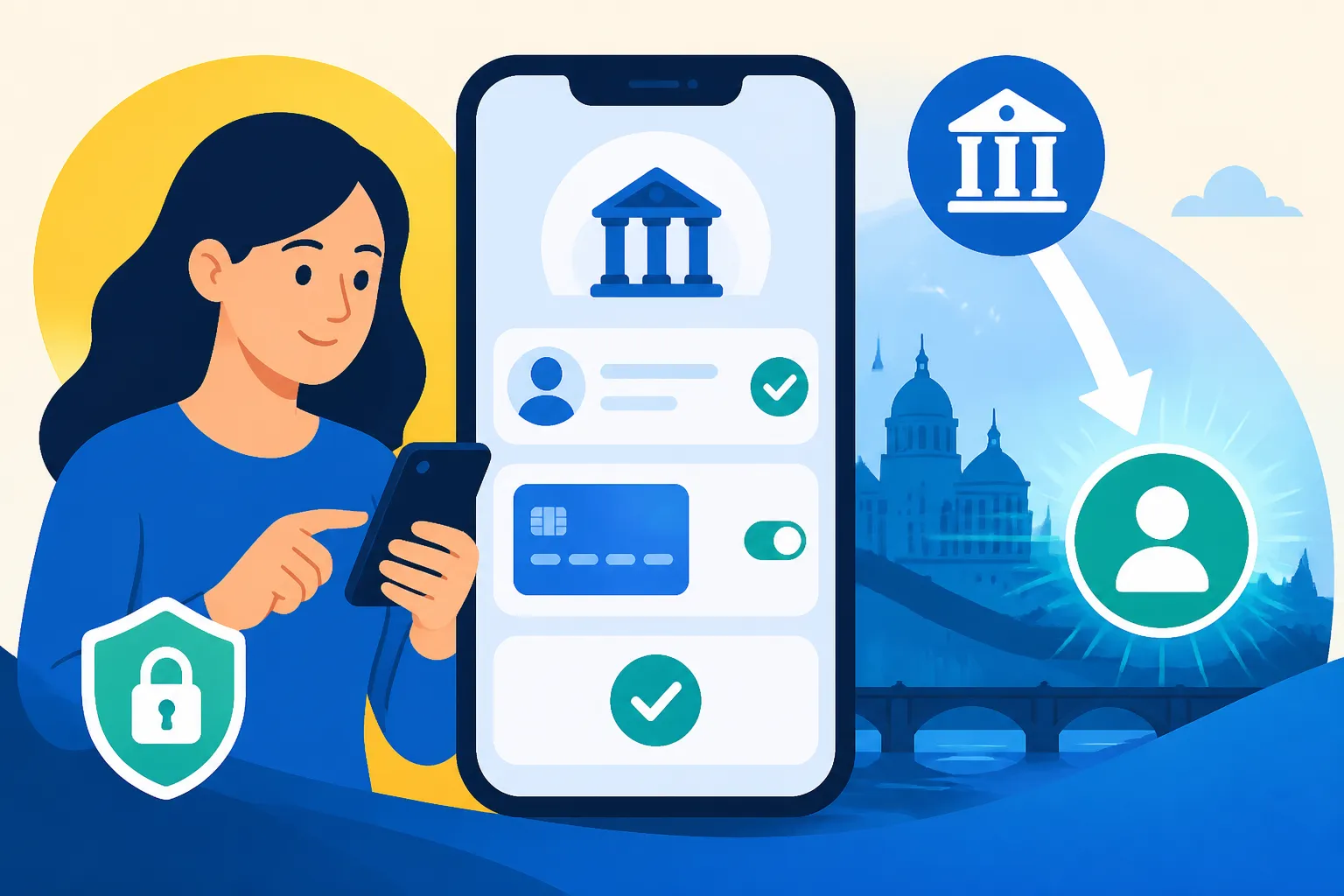
Once you have your initial login credentials, setting up the mobile banking app is the next logical step, and often the most convenient way to manage your money. First, download the official app for your bank from your phone’s app store (Google Play Store for Android or Apple App Store for iOS). Be very careful to only download the official app to avoid phishing scams. Once installed, launch the app. You'll typically be prompted to enter your username and the password you set or were provided at the branch.
The app will then guide you through setting up security features. This almost always includes a PIN for quick access, and often biometric authentication like Face ID or fingerprint recognition. Many banks also integrate their two-factor authentication (2FA) directly into the app, meaning you'll approve transactions or logins with a tap rather than receiving an SMS code. Take your time with these steps, ensure all security features are enabled, and remember your PIN! Having your financial life literally at your fingertips is incredibly empowering, and these apps are generally quite well-designed for ease of use.
Understanding Security Features and Two-Factor Authentication (2FA)
In today's digital age, security in online banking is paramount, and Romanian banks are no different. They employ robust security features, with two-factor authentication (2FA) being a cornerstone. When you log in or initiate a significant transaction, you’ll typically be asked to verify your identity using a second factor. This could be a code sent via SMS to your registered phone number, a code generated by a physical token device (though these are becoming less common), or, most frequently, a push notification or code generated within your mobile banking app.
For example, with banks like Banca Transilvania, you might receive a notification on your BT Pay app asking you to approve a transaction. For ING, their Home'Bank app often generates a unique code for each transaction. It's crucial to understand how your specific bank’s 2FA works and never to share these codes or approvals with anyone. Always ensure you are on the official bank website or app when logging in. While 2FA might add an extra step, it provides a vital layer of protection for your funds, especially in a new country. Get comfortable with it, and your online banking experience will be secure and seamless.
Embracing Instant Payments in Romania: Transfers and More
One of the greatest conveniences of modern Romanian banking is the widespread adoption of instant payments. Gone are the days of waiting 24-48 hours for a transfer to clear between different banks. For everyday transactions within Romania, this speed is a game-changer.
Understanding the "Instant Payment" System
Romania is part of the SEPA (Single Euro Payments Area) Instant Credit Transfer scheme, which means that many domestic payments and even cross-border payments within the Eurozone can be processed within seconds, 24/7, 365 days a year. This is not just for transfers between accounts at the same bank but also between different participating banks. The technology behind it allows for near-real-time processing, meaning the recipient sees the money in their account almost immediately.
This system is incredibly beneficial for expats. Need to pay a utility bill last minute? No problem. Splitting a restaurant bill with friends? Done in an instant. The efficiency is a huge leap from older banking systems. While most major Romanian banks participate, always double-check with your bank if a specific transfer qualifies as an instant payment, though for most standard RON transfers, it's now the default. This facility truly streamlines your daily financial interactions, making life here much smoother and less reliant on cash.
Making Transfers Between Romanian Accounts
Making a transfer between Romanian bank accounts using your online banking portal or mobile app is remarkably straightforward once you get the hang of it. You'll need a few key pieces of information:
- Recipient's Name: The full name of the person or company you are paying.
- Recipient's IBAN (International Bank Account Number): This is a unique identifier for their bank account. It always starts with RO followed by a series of numbers and letters.
- Amount: The sum of money you wish to send.
- Payment Details (Detalii Plată/Observații): This is where you specify the purpose of the payment, such as "Chirie Ianuarie" (January Rent), "Factura Orange" (Orange Bill), or "Plata Masa" (Dinner Payment). Always be specific here, especially for official payments.
After entering these details, you'll typically review the transaction and then approve it using your 2FA method. The money should arrive almost instantly in the recipient's account. Most apps also allow you to save frequent payees, making recurring payments even quicker. This ease of transfer means you can handle most of your financial obligations and social money exchanges without ever touching cash, further validating the benefits of digital banking.
International Transfers: Local Banks vs. Specialist Services
When it comes to sending money outside of Romania, or receiving money from abroad, you have a couple of options: using your Romanian bank or opting for a specialist money transfer service. While Romanian banks certainly facilitate international transfers, often via SWIFT for non-SEPA currencies or standard SEPA transfers for Eurozone countries, they might not always be the most cost-effective or fastest solution. Banks can charge higher fees and offer less competitive exchange rates, and SWIFT transfers can take several business days to arrive.
This is where services like Wise (formerly TransferWise) come in. Wise, and similar platforms, specialize in international money transfers, often providing significantly better exchange rates and lower fees compared to traditional banks. They use a system that minimizes cross-border fees, making the process faster and more transparent. For expats sending money home or receiving their salary from a foreign employer, using a service like Wise can result in substantial savings. While your local Romanian bank is perfectly capable of handling international transfers, especially within the EU, for larger amounts or frequent transfers to non-Euro countries, it's definitely worth exploring dedicated transfer platforms to maximize your money's value. You can learn more about this in our guide on How to Transfer Money Internationally from a Romanian Account.
Managing Your Finances Online: Beyond Basic Transfers
Online banking in Romania offers much more than just sending and receiving money. It’s a comprehensive tool for managing your entire financial life, from paying bills to keeping track of your budget, and even interacting with the tax authorities.
Paying Bills and Utilities Through Online Banking
One of the most liberating aspects of Romanian online banking is the ability to pay all your bills and utilities with just a few clicks. Say goodbye to separate payment centers, post offices, or endless queues. Most major utility providers in Romania, be it for electricity (Enel, E.ON), gas (Engie, E.ON), internet/TV/mobile (Orange, Vodafone, Digi), or even local taxes, are integrated into bank payment systems.
When you receive a bill, look for the unique payment code (often called "cod de plată" or "cod client") and the amount. In your online banking portal or app, you'll usually find a "Plăți Facturi" (Bill Payments) or similar section. You select the provider, enter the client code and amount, and confirm the payment. Many banks also allow you to set up recurring payments (mandate direct, or direct debit) for monthly bills, taking away the worry of missing a due date. This automation is a huge time-saver and helps ensure you stay on top of your obligations without constant manual effort. This makes understanding How Do I Pay My Utility Bills in Romania? much simpler.
Monitoring Your Accounts and Transaction History
Keeping an eye on your money is effortless with online banking. Both the web platforms and mobile apps provide a detailed overview of all your accounts – checking, savings, credit cards – in one place. You can view your current balance, recent transactions, and often categorize your spending to get a clearer picture of where your money is going. This feature is particularly useful when you're settling into a new country and trying to understand your new cost of living.
Most platforms allow you to search transactions by date, amount, or payee, and you can usually export your transaction history as a statement (often in PDF or CSV format). This is incredibly useful for budgeting, reconciliation, or when you need proof of payment for administrative purposes. Some banks even offer integrated budgeting tools, allowing you to set spending limits or track expenses against categories. By regularly checking your accounts, you can quickly spot any unauthorized transactions and maintain full control over your finances.
Using Online Banking for Tax Payments and Declarations
Even the dreaded tax obligations become less intimidating with online banking. In Romania, the National Agency for Fiscal Administration (ANAF) has made significant strides in digitalizing tax processes. While the Single Tax Return (Declarația Unică) itself is usually filed through the ANAF SPV (Virtual Private Space), the actual payment of taxes (income tax, social contributions, etc.) can often be done directly from your bank account via online banking.
You can initiate payments to specific ANAF accounts using a payment order (ordin de plată) within your online banking system. You'll need the correct fiscal codes and IBANs for the specific taxes you are paying, which can be found on the ANAF website or provided by your accountant. For those navigating the complexities of Romanian taxation, especially for self-employment (PFA) or remote work, using digital channels to make payments is a huge advantage. And for additional support, specialized services like Taxes for Expats can help you understand your obligations and navigate the ANAF SPV, making sure you pay the correct amounts efficiently. Their expertise can truly demystify the process for foreigners. You can read more about this in our comprehensive guide, The Complete Guide to Taxes in Romania for Expats (2027), and specifically Filing Your Annual Tax Return in Romania: The Complete Walkthrough (2027).
Troubleshooting Common Online Banking Issues for Expats
Even with the best intentions and the most user-friendly apps, you might occasionally run into a hiccup with online banking. As an expat, these issues can feel amplified, especially if language barriers come into play. But don't despair; most problems have straightforward solutions.
Language Barriers and Customer Support
One of the most common frustrations for expats when troubleshooting is the language barrier. While many major banks, particularly in larger cities like Bucharest or Cluj-Napoca, have English-speaking staff in branches, their general customer service hotlines might be predominantly in Romanian. If you find yourself in this situation, don't panic.
Here are a few tips:
- Look for dedicated English lines: Some banks have specific phone numbers or email addresses for international clients. Check their website.
- Use the app's chat function: Many mobile banking apps now include a chat feature, and sometimes these have integrated translation tools or dedicated English support agents.
- Visit a major branch: If a phone call isn't working, visiting a main branch in a larger city is often your best bet for finding an English-speaking representative.
- Have a Romanian friend help: Sometimes, having a local friend make the call with you can quickly resolve the issue. They can translate or speak on your behalf, explaining the problem clearly.
- Prepare your questions: Write down exactly what you need help with in simple, clear terms. This makes it easier for any representative to understand, regardless of language fluency.
Technical Glitches and App Problems
Like any software, banking apps and online portals can have their moments. You might encounter an app crashing, a transaction not going through, or an error message that makes no sense.
Here's how to tackle common technical issues:
- Check your internet connection: The most basic step, but often overlooked. Ensure you have a stable Wi-Fi or mobile data connection.
- Update the app: Make sure your mobile banking app is updated to the latest version. Outdated apps can cause compatibility issues.
- Clear cache/reinstall: If the app is consistently crashing, try clearing the app's cache (in your phone settings) or, as a last resort, uninstalling and reinstalling it.
- Try the web version: If the mobile app is giving you trouble, switch to the bank's online portal via a web browser on your computer. Sometimes the issue is specific to the app.
- Restart your device: The classic IT advice, but often effective!
- Contact support: If all else fails, reach out to your bank's technical support. They can check if there are system-wide issues or problems specific to your account.
Security Concerns and Fraud Prevention
While online banking is secure, staying vigilant is crucial. Expats can sometimes be targets for scams due to unfamiliarity with local customs or language. If something feels off, trust your gut.
Key security practices:
- Phishing awareness: Be extremely wary of emails, SMS messages, or calls asking for your banking details, passwords, or 2FA codes. Banks will never ask for your full password or 2FA code over the phone or email.
- Check website authenticity: Always ensure you are on your bank's official website (check the URL carefully for subtle misspellings) before entering login details.
- Strong, unique passwords: Use a strong, unique password for your online banking account that isn't used anywhere else. Consider a password manager.
- Monitor transactions: Regularly check your transaction history for any suspicious activity. If you spot something, report it to your bank immediately.
- Protect your device: Ensure your phone and computer are password-protected and have up-to-date antivirus software.
- Be cautious with public Wi-Fi: Avoid conducting sensitive banking transactions on unsecured public Wi-Fi networks.
- Report lost/stolen cards immediately: If your card is lost or stolen, block it instantly through your online banking app or by calling your bank's emergency line.
By understanding these potential pitfalls and arming yourself with proactive measures, you can ensure your online banking experience in Romania remains safe, efficient, and stress-free.
Disclaimer
The information provided in this guide is intended for general informational purposes only and does not constitute financial, legal, or professional advice. While we strive to ensure the information is accurate and up-to-date, banking regulations, procedures, and service offerings in Romania can change. It is always recommended to consult with the specific bank, a financial advisor, or a legal professional for advice tailored to your individual circumstances. We do not endorse any specific bank or service mentioned over others.